Hide Your IP on Linux with a TOR Proxy
TorIptables2
To create a proxy to the TOR network, we will use the TorIptables2 tool.
As a prerequisite, we will install TOR:
sudo apt-get install tor
sudo systemctl start tor
If we want the service to start automatically at boot:
sudo systemctl enable torNext:
git clone https://github.com/ruped24/toriptables2
cd toriptables2/
sudo mv toriptables2.py /usr/local/bin/
cd
toriptables2.py -h
We can view the program’s help output:
-h, --help   show this help message and exit
-l, --load   This option will load tor iptables rules
-f, --flush  This option flushes the iptables rules to default
We see 3 parameters; to enable the proxy, we run the program with the -l parameter:
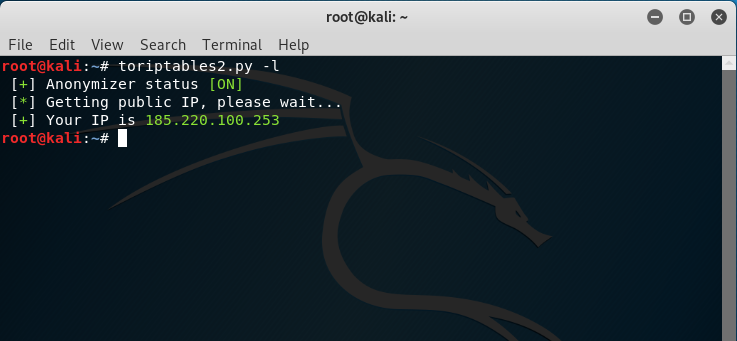
sudo toriptables2.py -l We will see the program start and attempt to obtain a new public IP, which can take a few minutes. Once we obtain the IP, we can browse or use any application and connections will originate from the new IP.
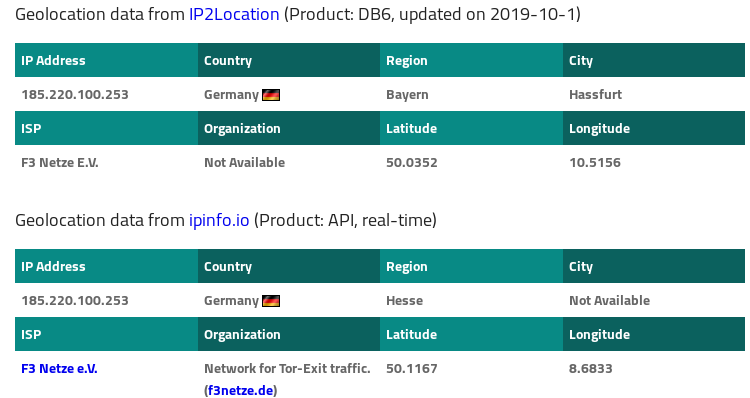
We verify that the location reported for the new IP is in Germany in this case:
To disable the proxy, we run:
sudo toriptables2.py -fThis is a very simple method to quickly hide your computer’s public IP, and if you need to change your IP or the TOR node is too slow, just restart the TOR service and get a new IP with TorIptables.