How to Use FortiSandbox Cloud for Free Without the 100-File Daily Limit
Also available in: Read in Español
This is a new feature in FortiOS 6.2, so you will need this firmware version or higher installed on your FortiGate.
This feature allows users to use FortiSandBox Cloud without a FortiCloud account. The FortiCloud Sandbox service can be used for free for up to 100 submitted files per day. To use FortiCloud Sandbox without this limitation, you must have an active Antivirus license.
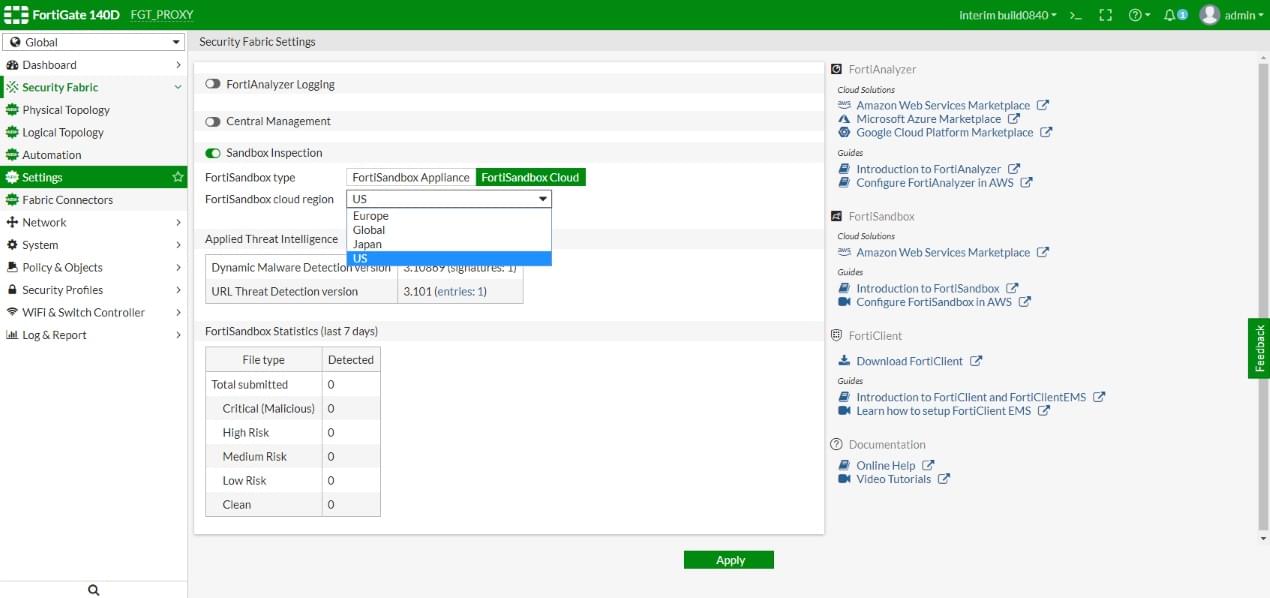
Enable FortiSandbox Cloud inspection in the GUI:
- Go to Global > Security Fabric > Settings.
- Enable Sandbox Inspection.
- Under Sandbox Type, select FortiSandbox Cloud.
- You do not need to log in to a FortiCloud account. Instead, select the FortiSandbox Cloud region from the drop-down list.
- Click Apply.
Enable FortiSandbox Cloud inspection in the CLI:
# config global
#    execute forticloud-sandbox region
#       0 Europe
#       1 Global
#       2 Japan
#       3 US
#    Please select cloud sandbox region\[0-3]:
#    Cloud sandbox region is selected: ...
# end
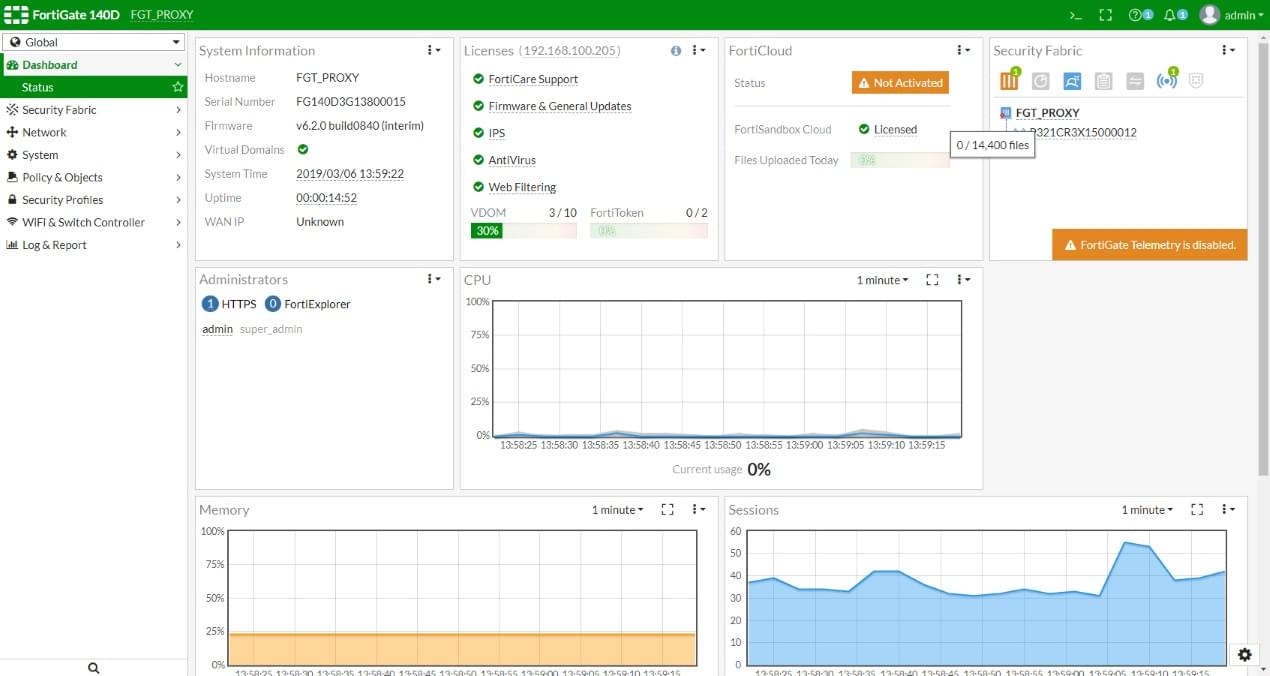
The FortiCloud widget on the FortiGate dashboard shows that FortiSandbox is not linked to a FortiCloud account and can be used without logging in to FortiCloud.
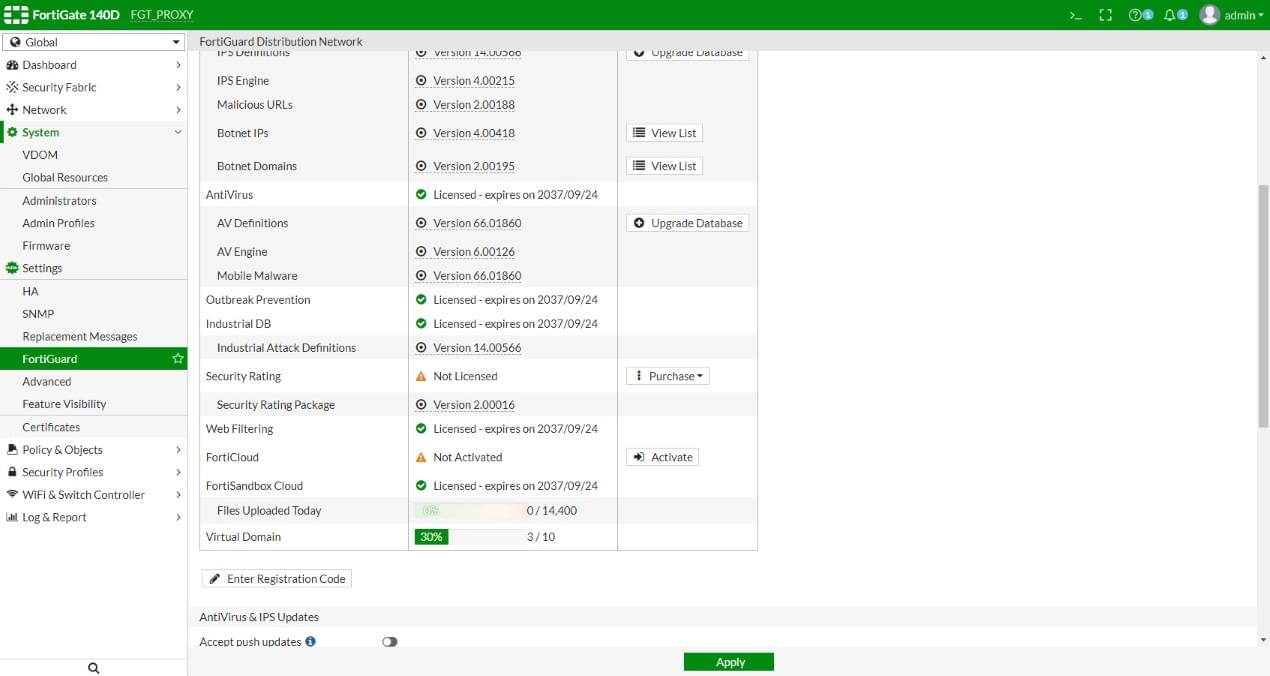
The Global > System > FortiGuard page also shows that the account is not linked, and FortiSandbox Cloud is licensed when the FortiGate is registered with FortiCare with an Antivirus license.
How to Use FortiSandbox Cloud for Free Without the 100-File Daily Limit